
Managed IT Services for Metro Detroit Businesses
Your IT should not need a translator, a ticket chase, or a second vendor.
Managed IT services Metro Detroit businesses can count on, starting with one local team for support, security, backups, networks, phones, cabling, and cameras. When something breaks, you call one number and a real person owns the next step.
Everything we take care of
One flat monthly plan that covers the day-to-day IT your business actually runs on. Here's what that means in practice.
Help desk that answers
Call, email, or chat and reach a technician in Michigan who can actually fix your problem. During business hours, a person answers the phone live.
In real life: "My screen is frozen and I have a 9:00 meeting" gets a human in seconds, not a ticket number.Security & protection
Phishing protection, MFA, security training, and around-the-clock monitoring that prevent threats instead of just reacting after the damage is done.
In real life: the fake "invoice" email gets caught before your bookkeeper ever sees it.Device & system management
We monitor, update, and manage every computer remotely, and we track hardware lifecycles so you're never surprised by aging, failing equipment.
In real life: updates run after hours, so nobody loses a morning to "Windows is restarting."Backup & recovery
Your critical files are backed up, encrypted, and tested. Whether it's one deleted spreadsheet or a full server recovery, we get you back to work.
In real life: "I deleted the folder with all our contracts" becomes a ten-minute restore, not a crisis.User management
New hire starting Monday? We handle accounts, permissions, email, and equipment from onboarding to offboarding, across Microsoft 365 and Google Workspace.
In real life: your new hire sits down day one with a working computer, email, and logins.Projects & upgrades
Office moves, new locations, server migrations, Wi-Fi that reaches the back room. Planned, quoted clearly, and done right the first time.
In real life: you open your second location and the phones, internet, and cameras just work on day one.We speak human
The IT industry loves acronyms. Your business runs on plain English. Here's how we actually translate the alphabet soup when you ask.
Software that watches every computer for break-in behavior and shuts it down before it can spread to the rest of your business.
A real security team watching your systems around the clock. If something suspicious happens at 3 AM on a Sunday, someone sees it and acts on it.
A second lock on your accounts. Even if someone steals a password, it gets them nowhere without your phone in their hand.
A watchdog for Microsoft 365 and your cloud apps. Suspicious logins, risky connected apps, and unusual behavior get flagged before they become a breach.
Encrypted copies of your critical files, tested and ready, so a crashed server or a bad click doesn't take your business down with it.
Fake emails built to trick your team into handing over passwords or money. We filter them out and train your people to spot the ones that slip through.
If your current IT provider makes you feel dumb for asking questions, that's their failure, not yours. Around here, "can you explain that in normal words?" is our favorite question.
Most security problems start as everyday IT problems.
A missed update, unmanaged device, reused password, or bad workaround can create a bigger opening than most businesses expect. Managed IT lowers that risk by keeping the daily basics under control before they become a cleanup project.
Read the ransomware protection guideThree daily protection layers
See what happens when something breaks.
Pick a common problem, then compare the handoff between several vendors with one team that can follow the full path. The point is not that every issue is simple. The point is that you should not have to diagnose it before you ask for help.
A phishing link was clicked
- Employee inbox
- Workstation
- Identity
- Cloud apps
- Security response
One team can follow the connected path
The client should not have to figure out which vendor to call. One team can check the user, device, identity, cloud activity, and security alerts without making you repeat the same story.
What responsive support looks like in a real morning
Honest note: not every issue is a fifteen-minute fix. Some problems take real work. What matters is that you reach a person fast, know who owns the issue, and never wonder what is happening next.
Five ways to reach us, whichever fits how you work:
The quiet work you never see is usually the work that saves the day.
Managed IT should not only mean someone reacts after the office is already stuck. It should mean the basics are watched every day: updates, backups, endpoint protection, risky alerts, failing devices, and the security events that should never sit ignored.
What this means
Software updates close the security holes that attackers already know about. We install them for you on a schedule, after hours, across every machine.
Why you care
Nobody loses a Tuesday morning to "Windows is updating," and the known holes get closed before someone finds them in your systems. Most breaches start with a patch somebody skipped.
These numbers are sample numbers, not a promise. The point is the working model: support is not only a person waiting for a ticket. It is the daily maintenance, monitoring, and response work that keeps small issues from turning into expensive ones.
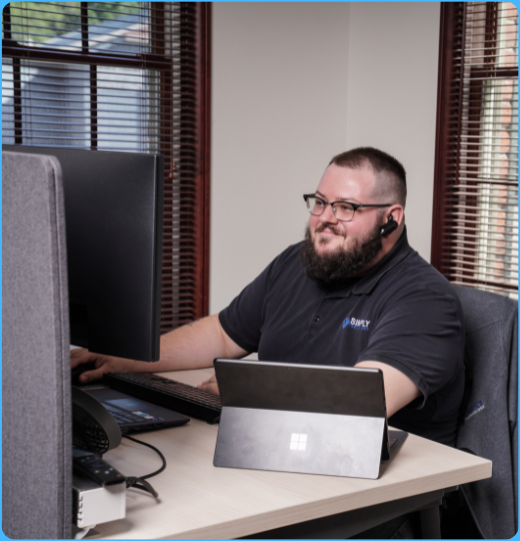
The person on the headset matters.
Most business owners do not judge IT by a feature list. They judge it on the morning payroll will not load, the phones are acting strange, or a new hire needs access before customers start walking in.
That is why our support model is built around plain communication, live help, and one team that knows your setup instead of making you explain the same issue three different times.
- Local Michigan-based support from people who understand the pace of your office.
- No call center runaround when your team needs help getting back to work.
- One vendor accountable for the systems that usually get blamed on each other.
What ongoing support looks like after the cleanup.
Dyno Detroit, an indoor rock climbing gym, needed more than a one-time fix. The project combined a cleaner technology foundation with ongoing managed IT coverage for the systems its team uses every day.
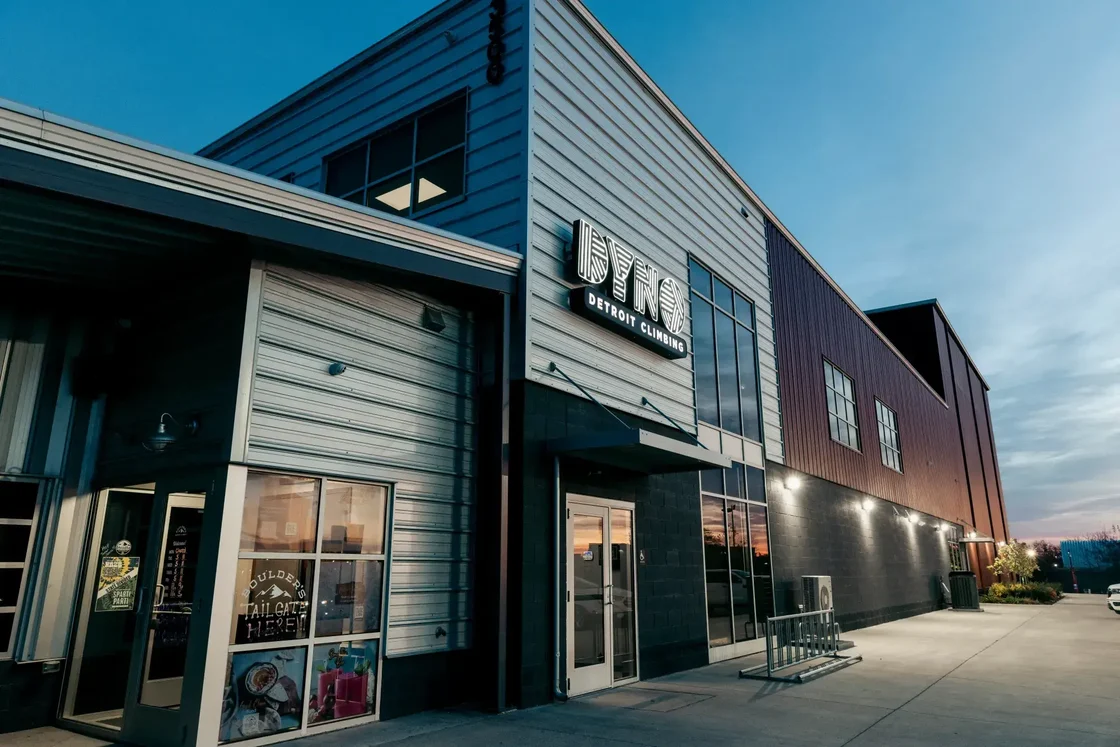
Dyno Detroit
Simply Technology helped Dyno Detroit move QuickBooks, clean up the network rack, and place the climbing gym under ongoing Smart plan coverage so its day-to-day technology had one local team behind it.
- QuickBooks migration
- Network rack cleanup
- Ongoing Smart coverage
Pick the support model that matches how your team actually uses IT.
No fake package price and no "starting at" game. We use these three models to build a real quote after we understand your users, devices, locations, servers, cleanup needs, and support expectations.
Smart+ Security
For growing teams that want the managed IT foundation plus stronger security visibility, response, recovery support, and cyber insurance alignment.
The managed IT foundation for businesses that need the core environment monitored, secured, patched, and backed up.
- Managed IT, network, security, and backup foundation
- Live help desk access with a local support team
- Support billed as needed
The protection balance for businesses that want better security visibility, response, recovery support, and cyber insurance alignment.
- Everything in Smart
- Respond + Recover + 24/7 security monitoring
- Better visibility across users, devices, and cloud
- Good fit for cyber insurance or compliance-sensitive environments
For higher-touch teams that call often, dislike surprise support bills, or want one more predictable number for remote support.
- Everything in Smart+ Security
- Unlimited remote support included
- Onsite support and projects scoped separately
The assessment matters. A clean 25-user office and a messy 25-user office can require different work. We look first, then give you a number that will not fall apart the second real scope shows up.
How it starts
No pitch decks, no pressure. Three steps and you'll know exactly where your technology stands and what it would take to fix it.
A quick call
Fifteen minutes, in plain English. You tell us what's driving you crazy about your current setup, and we tell you honestly whether we can help.
A free assessment
We take a real look at your environment: what's solid, what's risky, and what's quietly costing you money. You get the findings whether you hire us or not.
A clear plan
A flat monthly price, a clear list of what's covered, and an onboarding we handle for you. Most clients are fully supported within a few weeks.
Questions business owners actually ask
How much do managed IT services cost in Metro Detroit?
What's the difference between Smart, Smart+ Security, and Smarter?
How fast do you actually respond?
We already have an IT person. Can you work with them?
What happens when we switch from our current provider?
What areas do you serve?
Your technology already works together. Your support team should too.
Managed IT is the center of the relationship. The same local team also manages your security, backups, and network, so problems do not get passed between vendors.
Best fit: businesses that want to prevent problems, follow through on recommendations, and treat technology as part of running the business well.
Managed IT
One team manages users, devices, support, updates, and the systems your business depends on every day.
Managed Security
Protect people, devices, accounts, and business data.

Managed Network
Keep internet, switches, firewalls, and Wi-Fi visible and reliable.
Managed Backup
Maintain protected copies and a tested route back to work.
One team manages the full environment.
Simply Technology · Managed IT in Metro Detroit. One call, and we'll take IT from here.
Book a free assessment